


Tootja
BenQ
2435,00 €
 Tarne: 8-13 TP.
 ESTO - 0€ lisakulu. Tasu 12-s võrdses osas.
Toote kood 5898111
KÕIGE POPULAARSEM VALIK. ✓ Remondi eest hoolitseme meie ✓ Hooldust ei pea ise otsima ✓ Vähem ootamatuid kulusid ✓ Kaitse ka pärast tootjagarantii lõppemist
+ 3 aastat
Toote remondiplaan
Toote remondiplaan
Toote vahetusplaan

Maksa täies mahus sularahas kauba kättesaamisel.
Detsember 2p. - Detsember 9p.

Detsember 2p. - Detsember 9p.
RE7504A
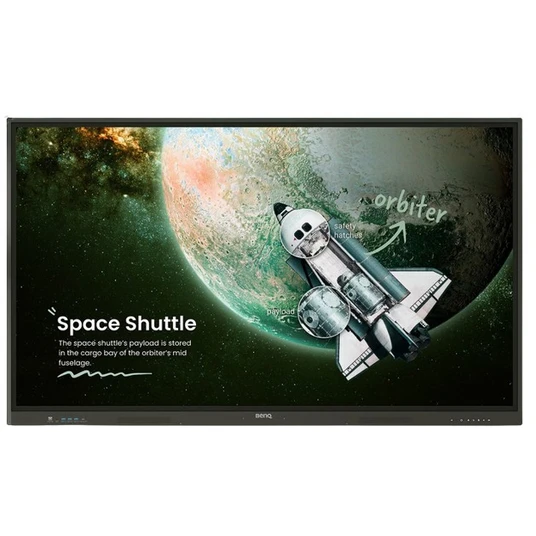
BenQ Board
The Essentials of Education
Get all the essential tools you need to deliver effective, interactive lessons.
Direct File Access
Integration with Google Drive, OneDrive, and Dropbox allows you to access files and save them to the cloud directly from your computer.
Your Own Space and Data
All accounts are secure and separate, giving you your own learning space while preventing others from accessing your data.
Built-in Security
Protect your boards against security and privacy threats with Google Play Protect and Safe Browsing.
A Board Like No Other
Go beyond writing and drawing. The expandable EZWrite workspace offers unlimited possibilities with a comprehensive collection of teaching tools and useful AI features.
Use Your Own Files
Import a variety of lesson files, use their content on the board, and then export your session as an editable file for future lessons.
A Tool for Every Lesson
Take advantage of EZWrite's built-in tools, designed to engage students and support a wide range of subjects and classroom activities.
Bring Lessons to the Cloud
Share your board so others can participate in discussions and interact with its content, whether they are sitting at their desks or learning from home.
Essential Tools for Every Teacher
With the RE04A board, teaching becomes easier, as everything you need is available on a single interactive display.
Tap. Record. Write.
The Floating Tool lets you take screenshots, record your screen, and add annotations to any app, file, website, or video displayed on the board.
Access the Sidebar
Expand the sidebar for convenient access to recent apps, files, and input sources, as well as a shortcut to the home screen.
Enhanced Search
Use BenQ Search to quickly find relevant content online or browse lesson files stored on the board or in the cloud.
5-in-1 Connectivity
The multifunctional USB-C port enables fast data transfer, high-quality audio and video playback, touch control, and 65W power delivery.
Full, Rich Sound
Enjoy enhanced audio quality with built-in 20W speakers that deliver clear sound throughout the room.
Everything on Board
The large interactive BenQ Board Essential display is designed to involve the entire class, helping increase engagement and make lessons more dynamic.
Everyone Can Share
InstaShare 2 gives everyone the freedom to share ideas. Wirelessly stream lesson content and interact with any device from anywhere in the room.
Share from Any Device
Wirelessly share up to four screens directly from your Chromebook, Windows laptop, MacBook, iPad, iPhone, or any Android phone or tablet.
More Than Screen Sharing
Go beyond screen mirroring. Media sharing makes lessons more dynamic. Share photos, videos, and even live camera feeds directly from your device to the board.
Easy Management
BenQ simplifies device and user list management, significantly reducing the IT department's workload and allowing it to focus on other tasks.
Seamless User List Synchronization
Simplify identity management by synchronizing any existing user lists based on Google Workspace, Entra ID (formerly Azure Active Directory), ClassLink, LDAP, or SAML.
Centralized Management
Remotely manage all your BenQ devices through an all-in-one console. Install, update, and remove apps, deploy firmware updates, and automate tasks such as powering devices on and off.
Enhanced Data Security
Keep your data secure with the RE04's secure login options and access controls, regular system updates, and built-in Google Play Protect and Safe Browsing features.
Data-Driven Performance
Generate detailed, comprehensive device analytics to monitor how your boards are being used and adjust usage guidelines to maximize performance.
School-Wide Announcements
With X-Sign Broadcast, you can send timely announcements to all BenQ displays. Keep your school informed about upcoming events, important reminders, and emergencies.
ClassroomCare
Bringing Health and Learning Together
ClassroomCare features play a key role in creating healthier learning environments for students and teachers in schools.
Easy on the Eyes
Eye-care technologies, including the RE04's blue light filter and flicker-free screen, help reduce eye strain during lessons, while the 4K anti-glare display ensures a clear picture every time.
IP5X Dust Protection
The RE04 screen complies with IEC 60529 standards, preventing dust accumulation even in the dustiest environments.
2435,00 €
2435,00 €